Snap the receipt.
Photograph it, pick a photo, or upload a PDF. Every line is read — plus subtotal, tax, tip and total — and checked to make sure it all adds up.
Bill splitting for iPhone
Snap the receipt, tap who had what, and everyone gets their exact share — tax and tip included — in one message they can read without the app.
How it works
Follow one real dinner as it comes apart — and comes back together as one message everyone can pay from.
Photograph it, pick a photo, or upload a PDF. Every line is read — plus subtotal, tax, tip and total — and checked to make sure it all adds up.
Anything it isn’t sure of gets flagged for a quick look. It reads the itemized receipt and the signed slip together — and it all happens on your phone. Nothing is uploaded.
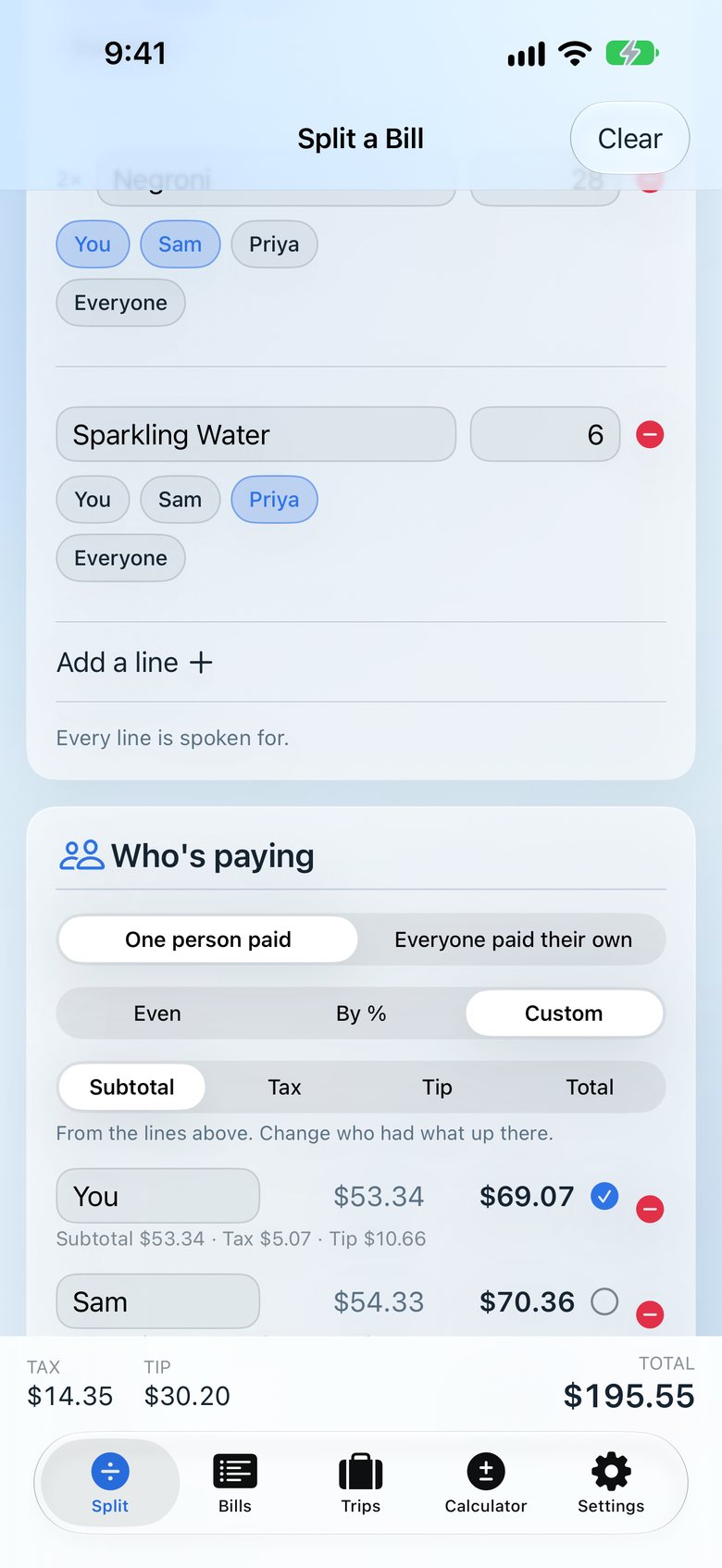
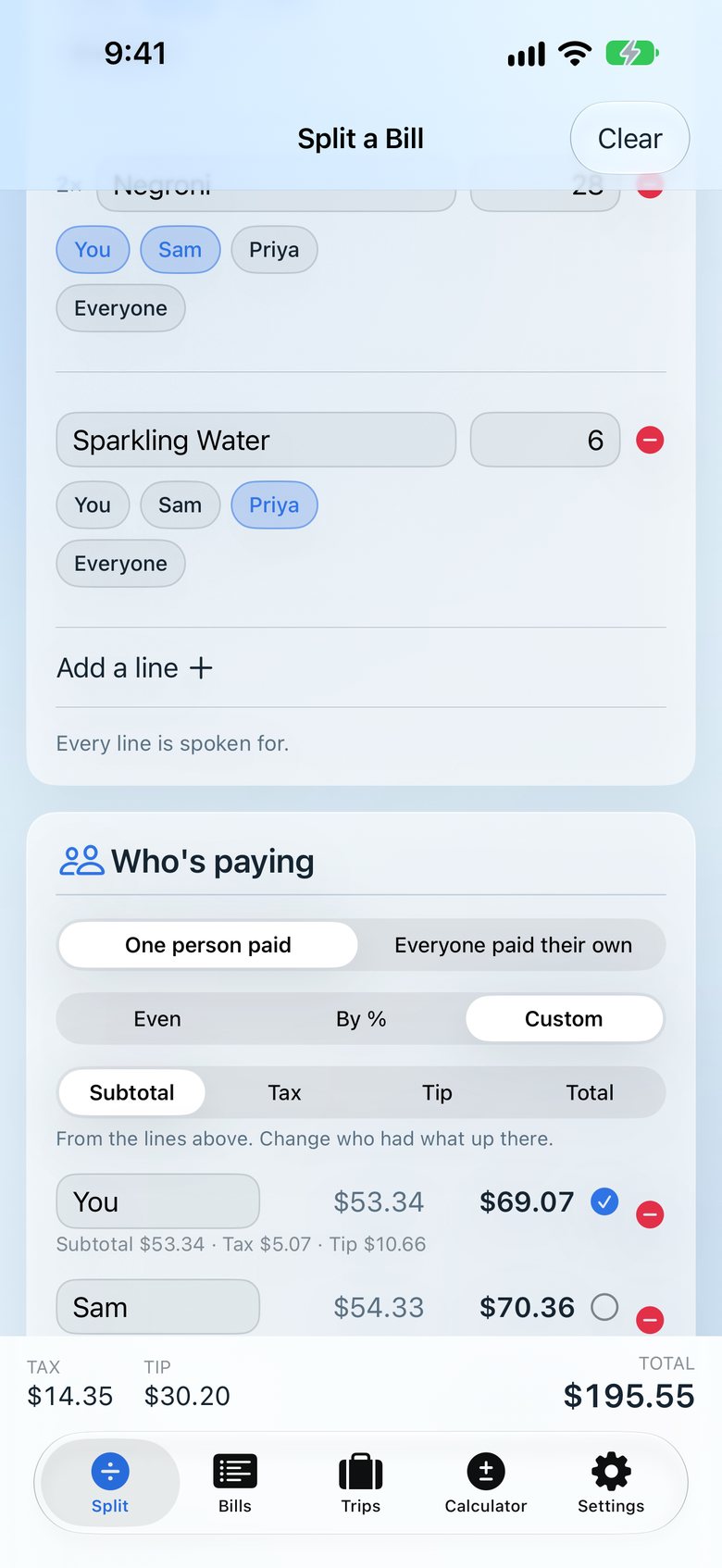
Tap names on each line. Shared plates split themselves — halves, thirds, whatever the table did.
Tax and tip are shared in proportion to what each person ordered. Nobody pays tip on someone else’s steak.
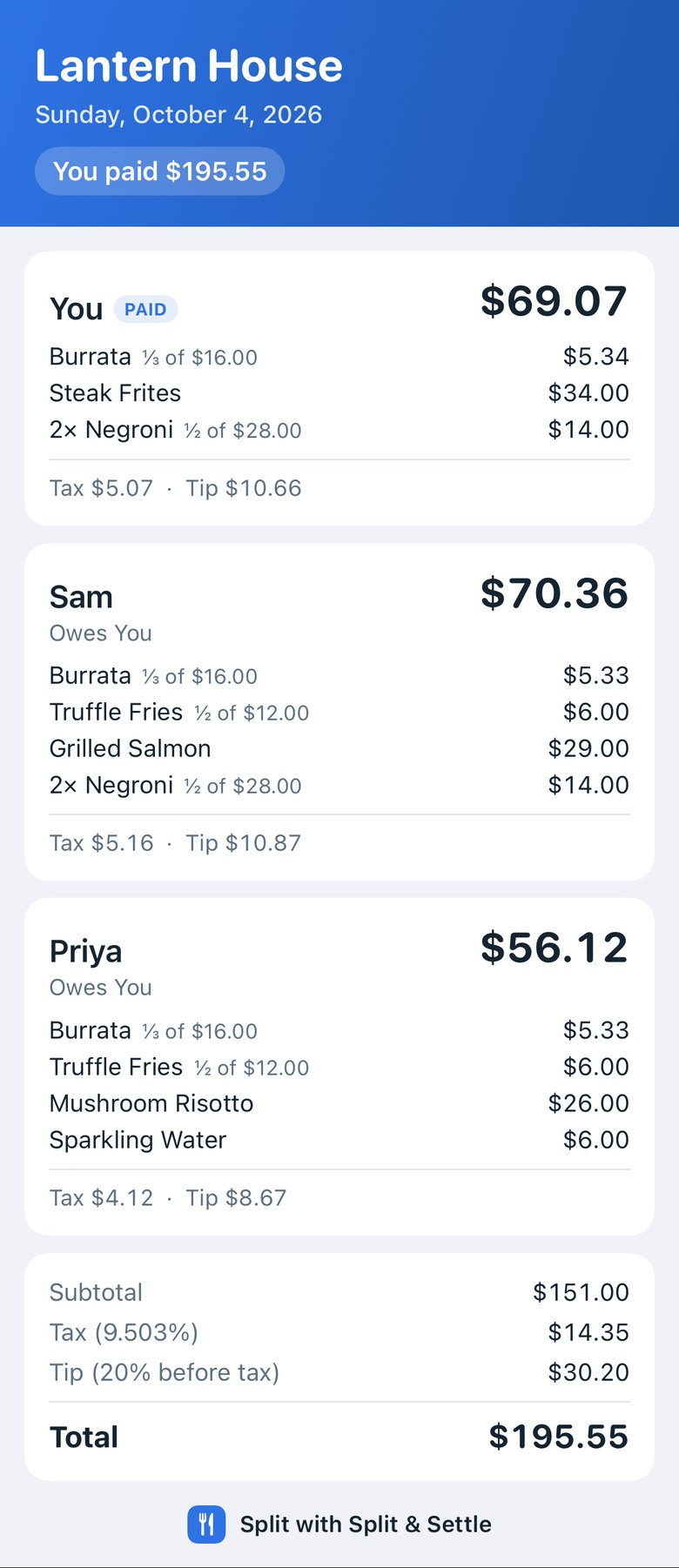
One tap sends a clean picture, organized by person, plus a short text version. Friends don’t need the app.
| Person | Food | Tax | Tip | Total |
|---|---|---|---|---|
| You | 53.34 | 5.07 | 10.66 | 69.07 |
| Sam | 54.33 | 5.16 | 10.87 | 70.36 |
| Priya | 43.33 | 4.12 | 8.67 | 56.12 |
| Table | 151.00 | 14.35 | 30.20 | 195.55 |
Deconstructed
Pull a bill apart and you’ll find the whole idea: know who had what, decide who’s paying, give everyone their exact share, and keep a running total that always adds up.
Features
No daily limits. No ads. Receipt scanning isn’t a paid extra.
Settle up
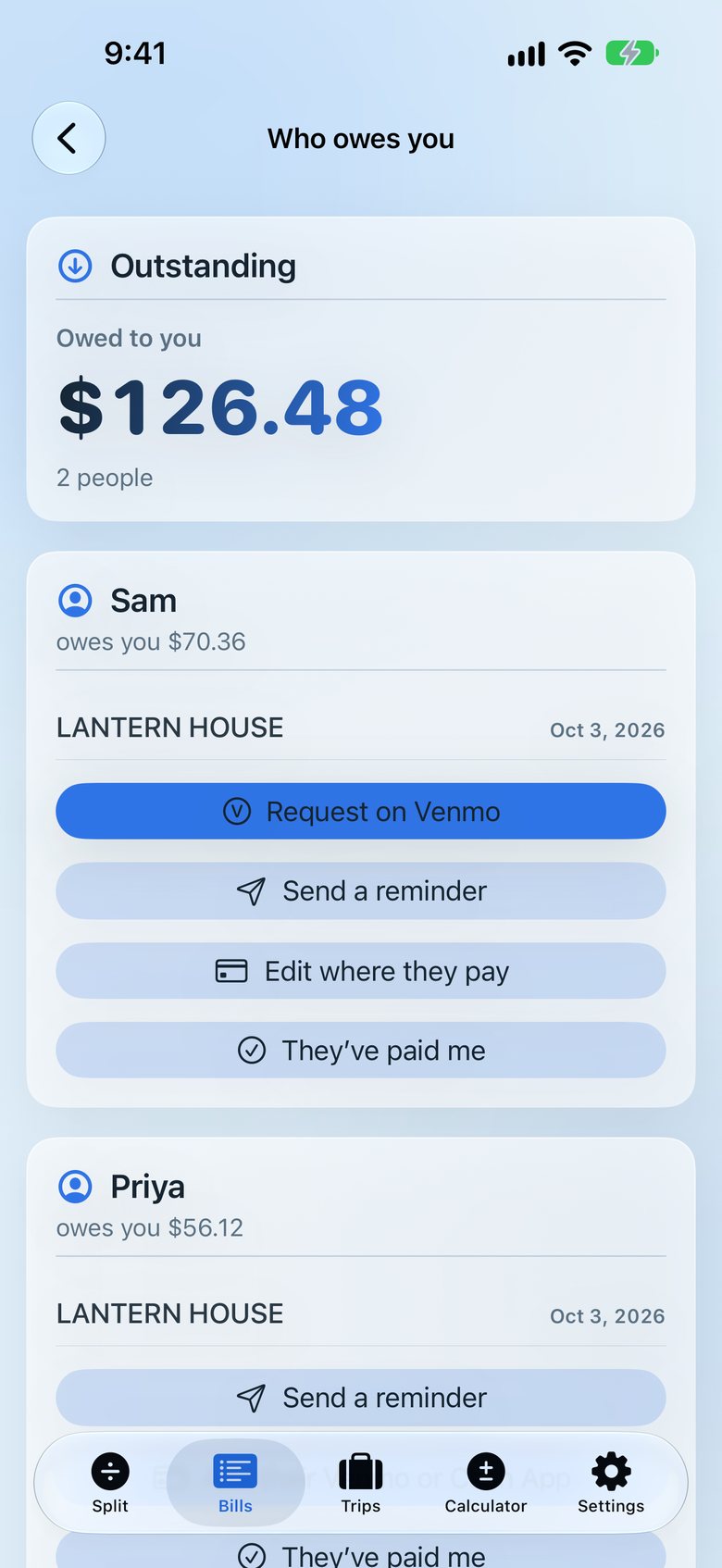
“Owed to you” adds up what each friend owes across every bill. Request with a Venmo, Cash App or PayPal link, send a friendly reminder, and mark it settled in one tap.
Trips
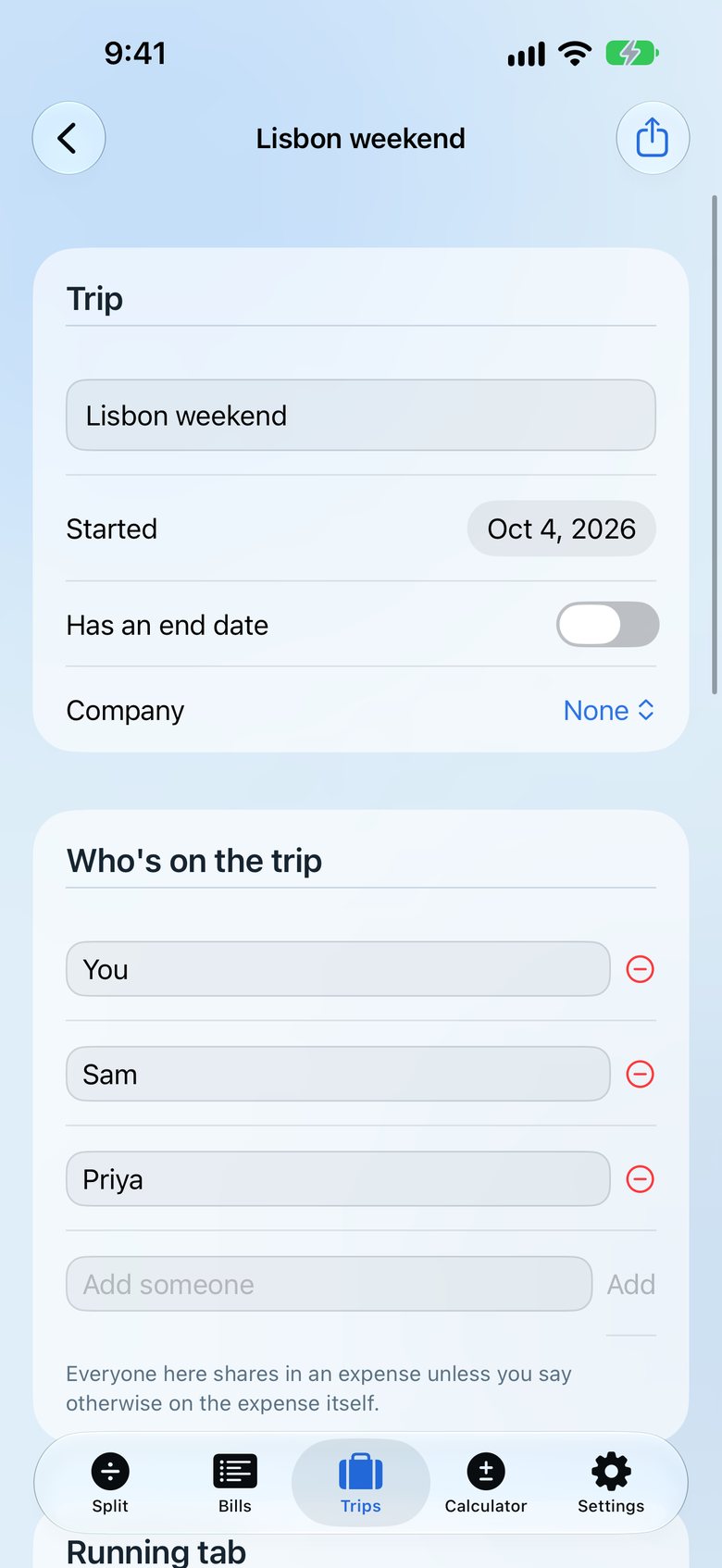
Bills, expenses and part-payments together — then the fewest payments to square everyone up.
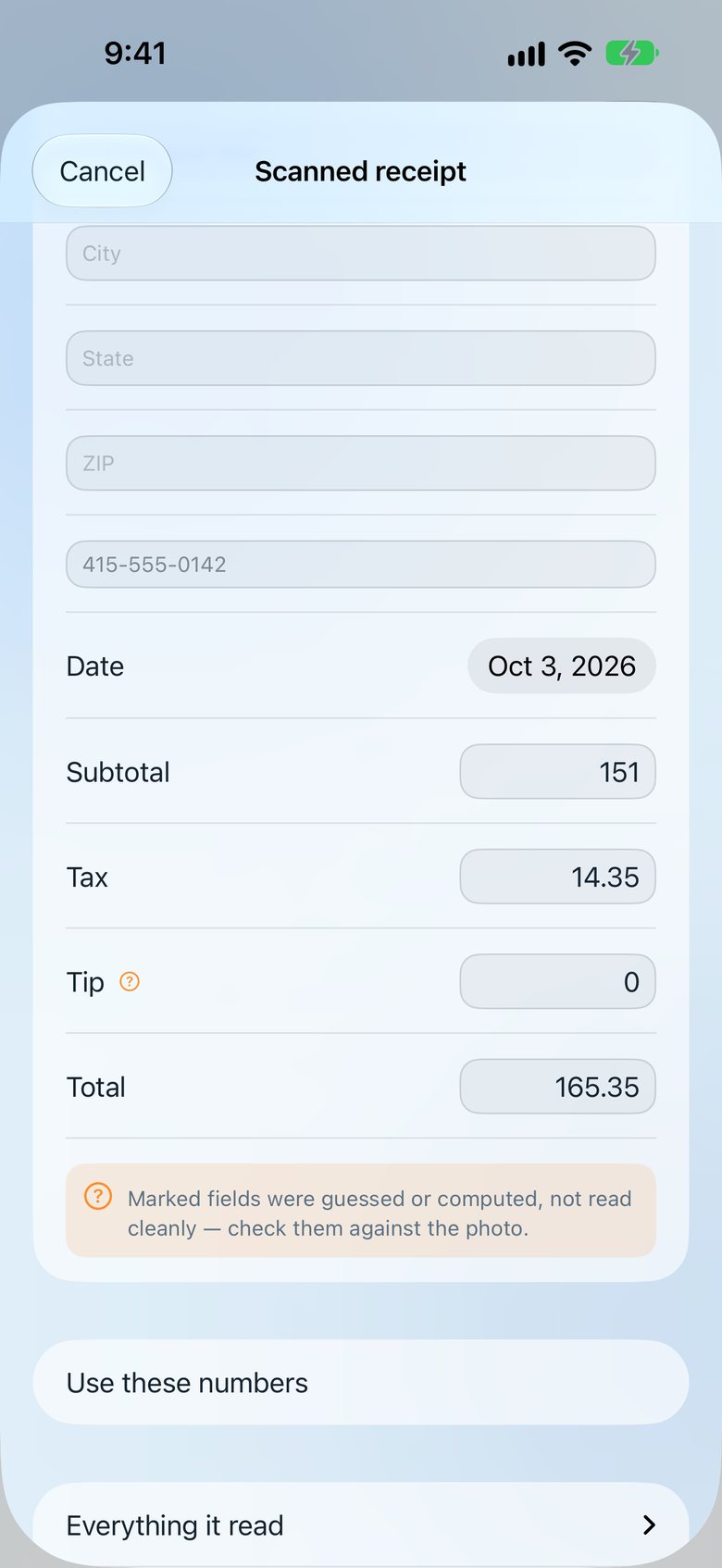
Scanning
Line items, subtotal, tax, tip and total — checked against each other, with anything uncertain flagged. It reads the receipt and the signed slip together, and learns a restaurant’s odd labels after one correction.
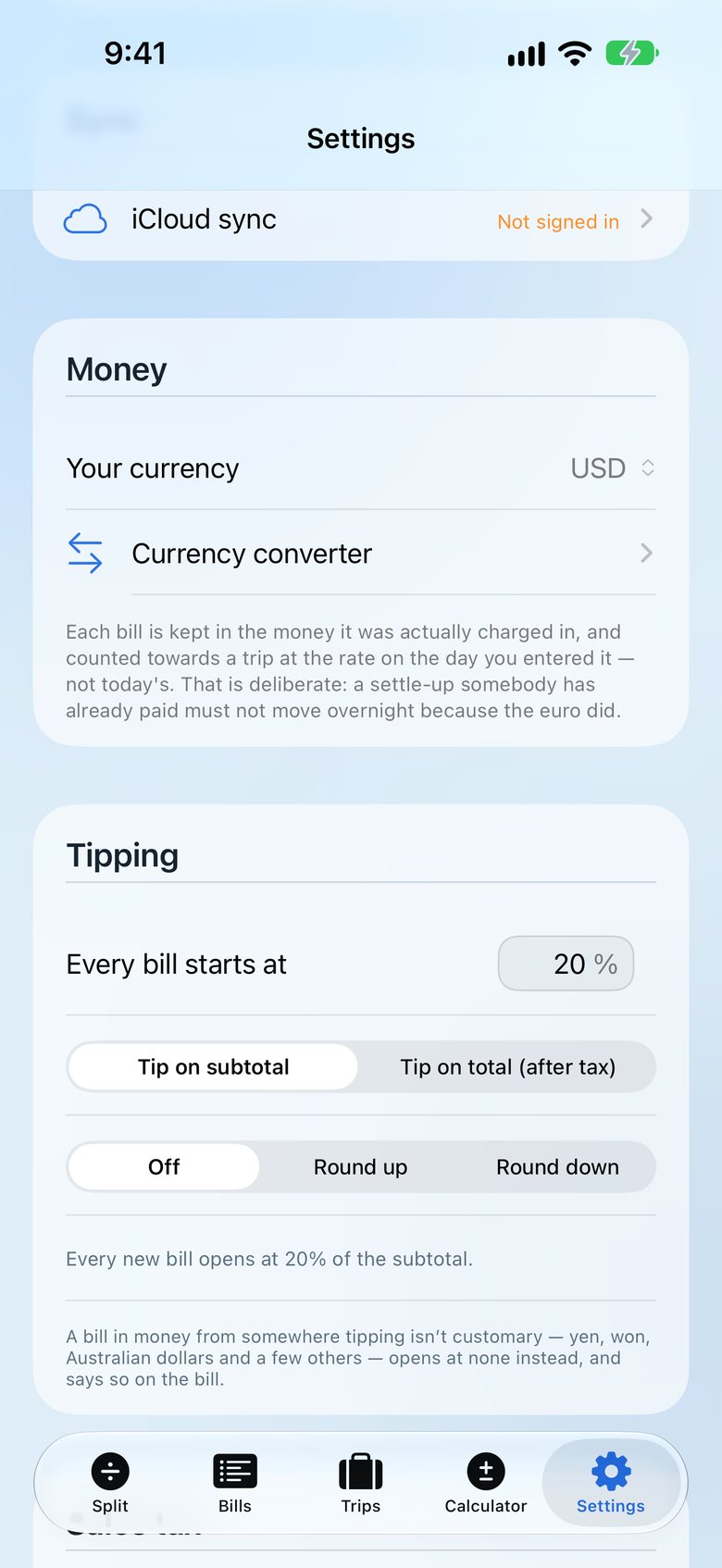
Tip your way
Percent or dollars, before or after tax, round the total up or down. Set a standing preference once. It even remembers what’s customary per currency — no tip by default in places like Japan.
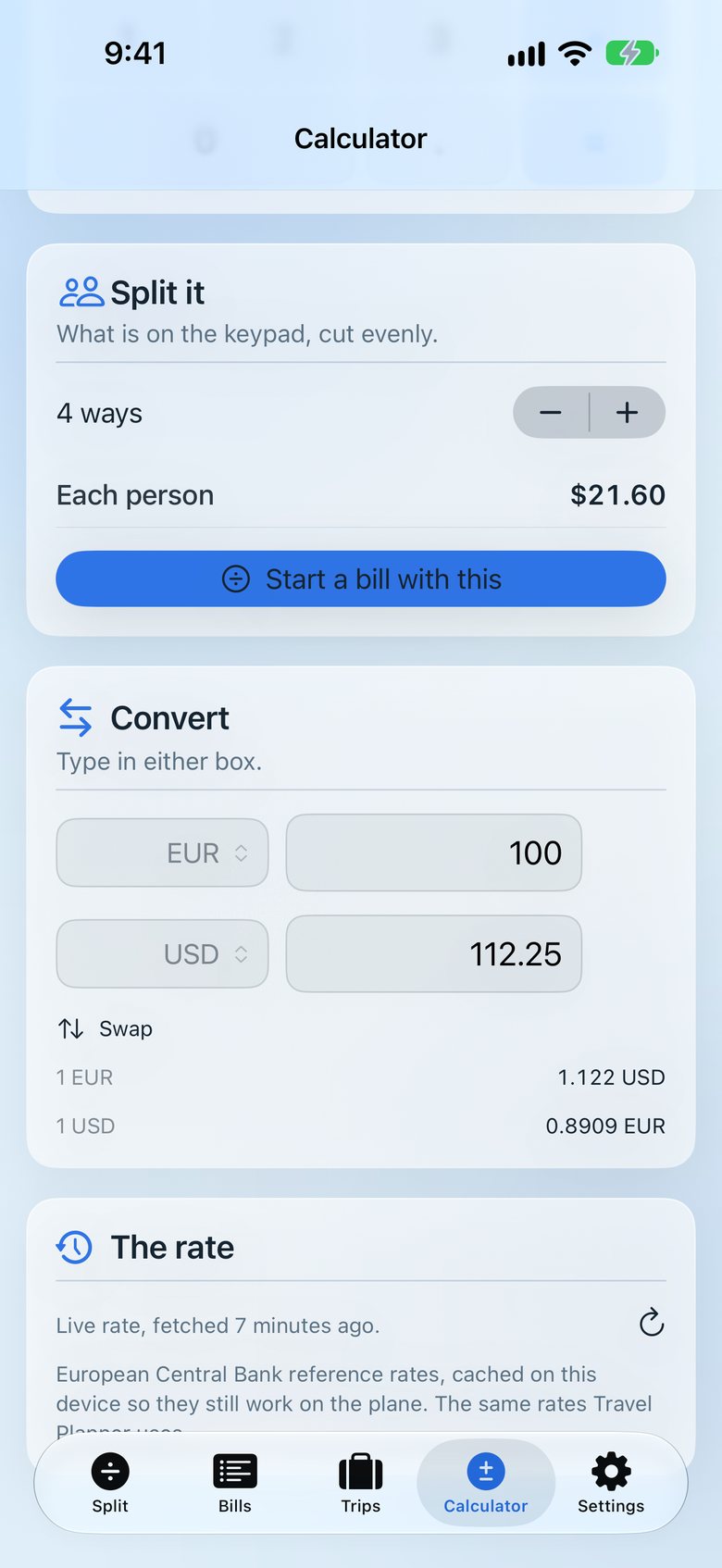
Travel money
Bills in practically any currency, with the exchange rate locked in when you enter it. A built-in calculator and converter can start a bill for you.
Business & tax
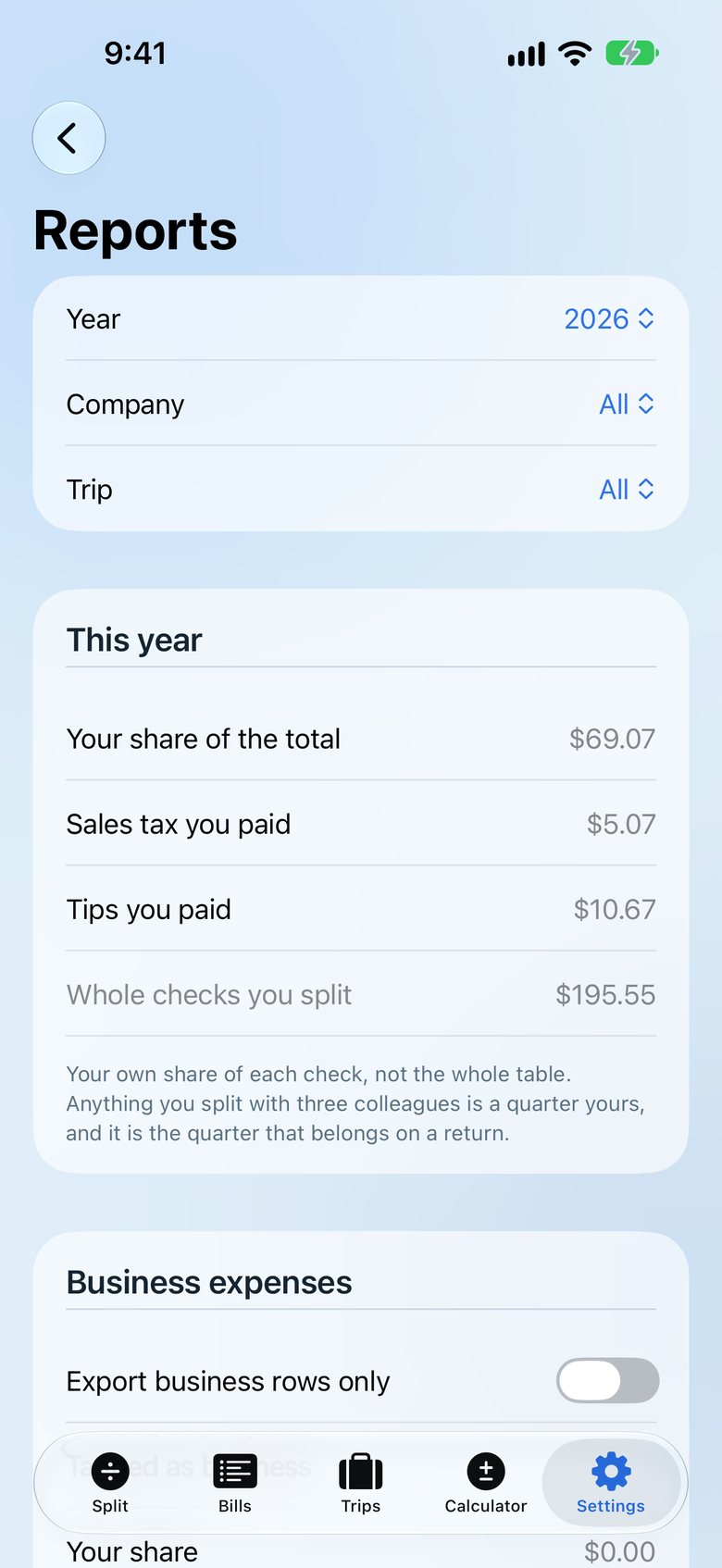
Mark a meal as a business expense with the purpose and attendees the IRS asks for. File bills by company, see yearly and quarterly totals with business meals at your deduction rate, and export.
Private by design
Your bills live on your phone and in your own iCloud. Back up and restore to a file anytime.
Live shared bills
Share a bill — or a whole trip — through iCloud so the group sees the same bill and who’s paid. Or send a snapshot copy.
Every way to split
Evenly, by percentage, custom amounts across subtotal, tax, tip and total — or by item. There’s an “everyone paid their own” mode too.
Sales tax
Pick the restaurant from Apple Maps and the local rate is filled in. Your own rate always wins.
Send everyone the split
One tap sends a clean picture organized by person — each person’s total, their dishes, their tax and tip — plus a short text version. It works in any messaging app, and friends on Android get it too.
Video tutorials
Pricing
No daily limits. No ads. Receipt scanning isn’t a paid extra. If you want trips without limits and the business tools, Pro is one price, once.
Free
Splitting is free, with no limits.
Pay once
$9.99once
Everything in Free, plus:
An in-app purchase, sold by Apple.
No. One tap sends a picture of the split plus a short text version through any messaging app. Each friend sees their total, their dishes, and their share of tax and tip. They’d only need Split & Settle to join a live shared bill through iCloud.
Yes. Splitting is free with no limits: unlimited bills, receipt scanning, splitting by item, sending the split, settle-up with payment links, iCloud sync and shared bills, the calculator, and one trip. No ads, ever.
Split & Settle Pro is $9.99 once — not a subscription. It adds unlimited trips, companies, Reports and the accounting export. Family Sharing is included.
No. Receipts are read entirely on your phone. Your bills live on your phone and, if you turn it on, in your own iCloud — we can’t see them. There’s no account, no ads and no tracking. Read the privacy policy.
Yes. Enter bills in practically any currency, with the exchange rate locked in when you enter it. Tipping defaults follow what’s customary for the currency — no tip by default in places like Japan, Korea, Australia, New Zealand and Singapore — and you can always change it.
Yes. Tap every person who shared a dish and it splits automatically — in halves, thirds, or however many people tapped in.
Your call. Tip as a percent or a dollar amount, before or after tax, and round the total up or down. Set a standing tip preference and it applies automatically. Tax and tip are shared in proportion to what each person ordered.
Not yet — Split & Settle is iPhone only for now and requires iOS 17 or later. Friends on Android still get the picture and the text.
Yes. Mark a meal as a business expense with its purpose and attendees, file bills by company, and see yearly and quarterly totals in Reports — including business meals at your deduction rate. Export for spreadsheets, QuickBooks Online (CSV) or QuickBooks Desktop (IIF). Companies, Reports and export are part of Pro. Split & Settle isn’t tax advice, so check the rules that apply to you.
Open Settings → Split & Settle Pro → Restore. Make sure you’re signed in with the same Apple Account you bought with. Family Sharing members get Pro too.
Free on iPhone. No account, no ads, no daily limits.
Launching soon. Get notified by email when it’s live.